


เปิดเมนูการเข้าถึง ข้ามไปที่เนื้อหาหน้าเว็บ

An all-in-one Email Marketing Platform

An all-in-one Email Marketing Platform

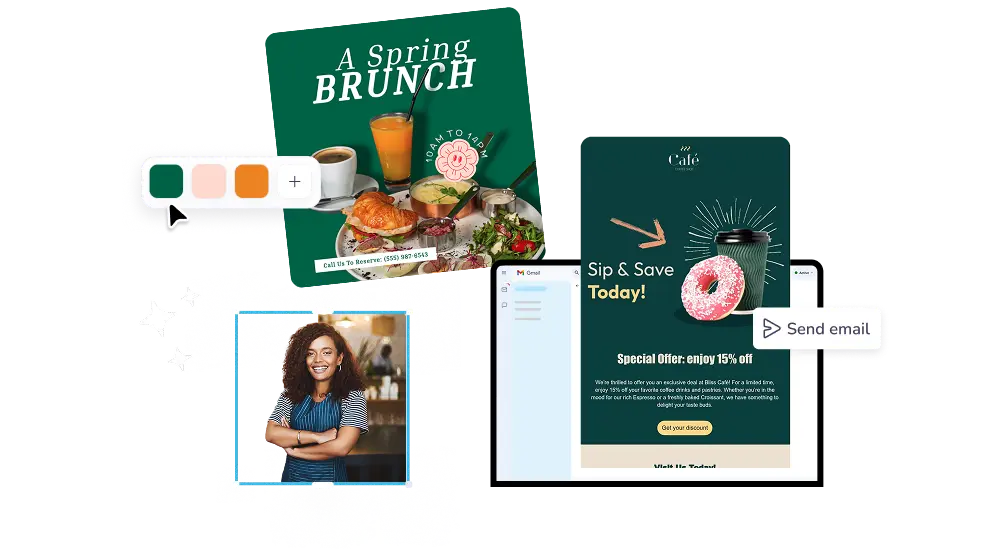
Create and send engaging email campaigns with professionally-designed email templates.

ผู้คนต่างก็รัก PosterMyWall


  • Thank you sooooo much for this app. Saves me a lot of time and cost. Keep up the good work!

    Blak Dave
    Blak Dave
    Real Estate Agent
  • I love PosterMyWall, so user friendly. Great application to have for business owners.

    Sa Duchi
    Sa Duchi
    Entrepreneur
  • PosterMyWall has made it simple and easy for us to create eye-catching posters and flyers to advertise our company's accreditation services, with all the templates on offer.

    Diane B.
    Diane B.
    Finance Director

How to create an email marketing campaign

1

เริ่มต้นใช้งานได้ฟรี

เปิด PosterMyWall บนเดสก์ท็อป มือถือ หรือแท็บเล็ตของคุณเพื่อเริ่มต้นใช้งานได้ฟรี

2

เลือกเทมเพลตการออกแบบ

เลือกจากเทมเพลตที่ออกแบบอย่างมืออาชีพนับพันรายการสำหรับธุรกิจ อีเวนต์ หรือโอกาสใดๆ

3

ปรับแต่งเทมเพลตของคุณแบบเฉพาะบุคคลด้วยเครื่องมือที่ใช้ง่าย

เพิ่มโลโก้ ภาพ วิดีโอ แบบอักษร สติ๊กเกอร์ คลิปเสียง และอื่นๆ ใช้ ชุดแบรนด์ สำหรับการออกแบบที่สอดคล้องและตรงตามแบรนด์

4

ดาวน์โหลดการออกแบบของคุณ

ดาวน์โหลดฟรีหรือรับไฟล์ความละเอียดสูง อัปเกรดเป็น แผน PosterMyWall Premium สำหรับ การดาวน์โหลดภาพและวิดีโอ ไม่จำกัด

5

แชร์ทุกที่ทุกเวลา

เผยแพร่ไปยัง Facebook, X (Twitter), Instagram หรือส่งผ่านแคมเปญอีเมล ฝังบนเว็บไซต์ หรือ แสดงบนหน้าจอดิจิทัล

Create a free email campaign

Featured email templates for every need

ดูธีมเทมเพลตอีเมลทั้งหมด

คำถามที่พบบ่อย

What is email marketing?

Email marketing is a direct form of digital marketing whereby you reach out to your customers, clients, and audience by sending emails. You can do this easily by using free customizable email templates to promote your small business, market your products and services, or to just connect with a group of people.

How to send a mass email?

You can send mass emails if you’re subscribed to the Premium or Premium Plus plan, you can send 3,000 emails and 10,000 emails per month respectively with PosterMyWall’s Email Marketing Platform.

Can I add links to my email campaign?

Yes, you can add a text link, make any element clickable, or add call-to-action buttons in the Email Maker. Add a link to any of these elements via the ‘Link’ space in the right contextual menu in our email editor.

How to start an email mailing list?

When publishing your email, add your email name and subject line then click ‘Next’. Under “Choose an audience for your campaign”, click 'Add a new audience'. Click ‘Upload CSV file’ in the ‘Add new audience’ menu to add your CSV file containing yout mailing list with emails separated by commas or columns.
Click ‘Next to continue with publishing.