









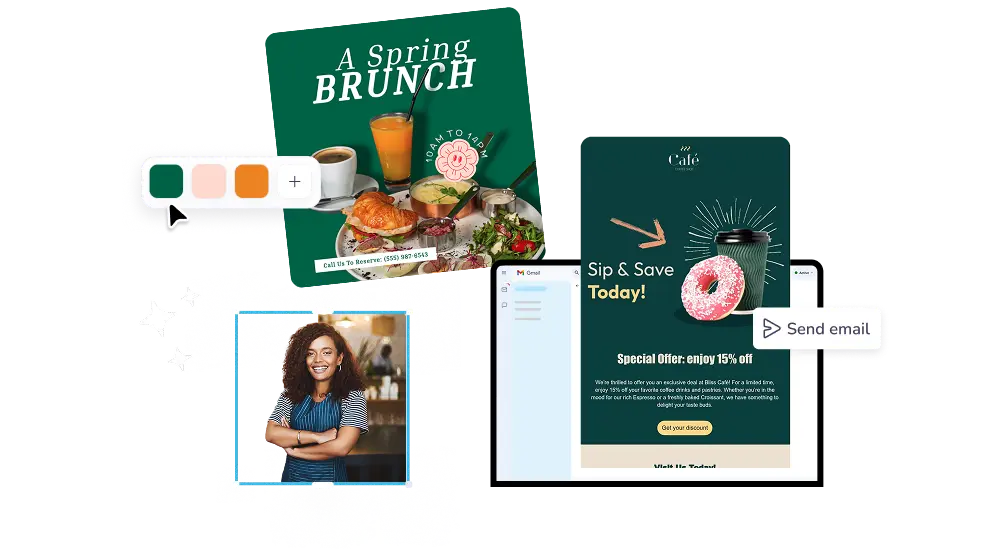
ผู้คนต่างก็รัก PosterMyWall
ล่าสุด · 2025–2026
Browse email campaign examples for sales, events, and newsletters. Customize any of 5,220+ email templates and send from PosterMyWall.
30M+
ผู้ใช้ทั้งหมด
5k+
เทมเพลตอีเมล
244
ประเทศและเขตแดน
เราเชื่อว่าค่าใช้จ่ายด้านการออกแบบและการตลาดไม่ควรเป็นภาระหนัก เราจึงรวมทุกอย่างไว้ในโซลูชันเดียวในราคาที่เข้าถึงได้ 💪
ในหลายแอป


คุณประหยัดได้ $119 ด้วยการสมัครใช้งานเพียงครั้งเดียว
ล่าสุด · 2025–2026






Sales, welcome emails, monthly newsletters, event invites, thank you notes: the email campaign examples in the email templates gallery are grouped by what you are trying to do. Filter by business type or season, open the one that fits your Friday promotion, and skip the blank page. Each design is already laid out, styled, and ready for your words.
Swap the headline, drop in your photos, and change the button text. Brand Kits apply your logo, colors, and fonts in two clicks, AI Writer drafts the subject line and preview text, and AI Email Redesign restyles the whole thing when you describe the look you want. A sample email campaign becomes yours in minutes.
Add your mailing list, pick a send time, and watch the numbers come in. Premium includes 3,000 email sends a month and Premium Plus includes 10,000, with unused sends rolling over. Reports show which email campaign designs earned opens and clicks, so next month you start from the one that performed.
Open PosterMyWall on your desktop, mobile, or tablet to get started for free.
Choose from thousands of professionally designed email templates for any business, event, or occasion.
Add your logo, images, videos, fonts, stickers, audio clips, and more. Use Brand Kits for consistent, on-brand designs.
Download the email HTML for free or preview your email on desktop, tablet and mobile to see how it would look on different screens.
Add a mailing list and send your email straight from PosterMyWall.
ตั้งแต่คำอวยพรตามเทศกาลไปจนถึงโปรโมชันพิเศษ ค้นหางานออกแบบอีเมลตามประเภท ธีม หรือฤดูกาล เพื่อให้การตลาดของคุณสดใหม่ตลอดทั้งปี


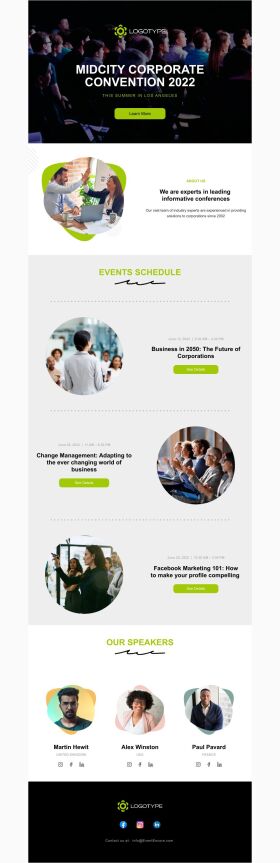


An email campaign is one email, or a short series, sent to your mailing list with a single goal: filling a sale, announcing an event, or keeping customers in touch. PosterMyWall covers the whole job, from picking a design to sending it and reading the open and click reports.
The campaigns that earn their keep for a small business are a welcome email, a monthly newsletter, a sale or discount announcement, an event invite, and a thank you after a purchase. Each one has a ready design in the PosterMyWall email templates gallery, sorted by business type and season.
PosterMyWall templates are free to open and customize, and you can download your finished design as HTML at no cost, then paste it into whichever sender you use. Sending directly from PosterMyWall comes with Premium plans, which add mailing lists, signup forms, scheduling, and reports.
Open the template in the editor, then replace the headline, photos, body text, and button. Add your logo and brand colors with Brand Kits, and use merge tags so each subscriber sees their own first name. Preview it on mobile and send yourself a test before the real send.
A sample email marketing campaign needs a subject line, preview text, one clear offer, one call to action button, and an unsubscribe link with your business address. Keep the design to a single column so it reads on a phone. PosterMyWall adds the unsubscribe footer for you.
Keep a promotional email to one screen of scrolling, roughly 150 words with one image and one button. Newsletters can run longer if you break them into sections with clear headings. Readers scan on their phones, so lead with the offer instead of saving it for the bottom.
Yes. Add or upload your mailing list, pick a date and time, and send through email campaigns. Premium includes 3,000 email sends per month and Premium Plus includes 10,000, and unused sends carry into the next month. New accounts start at three campaigns per day.
An example email marketing campaign works when the subject line makes a specific promise and the design keeps one message front and center. Add a deadline, use a button rather than a text link, and send when your list actually reads email. Send at Best Time picks that hour for you.
Yes. Schedule any campaign for a future date, or let Send at Best Time choose the hour your subscribers usually open. Content Planner lays out every scheduled email and social post on one calendar, and each sent campaign reports opens, clicks, and unsubscribes.
No HTML needed. The editor is drag and drop, so you move sections, images, and buttons by hand and the email stays responsive on phones. If your sender needs code, download your email campaign designs as HTML free and paste them straight in.

การไล่ระดับสีโดย PosterMyWall



© 2010-2026 250 Mils LLC ขอสงวนลิขสิทธิ์ทั้งหลาย




